
Upscale and convert images, locally on your computer

With the typest.app image upscaler you enlarge graphics and logos two, three or four times. Lanczos scaling keeps edges and fine detail sharper than simple resizing. The image converter turns any number of images into PNG, JPEG, WebP, AVIF, TIFF or GIF in one go. Both run locally, with no upload.
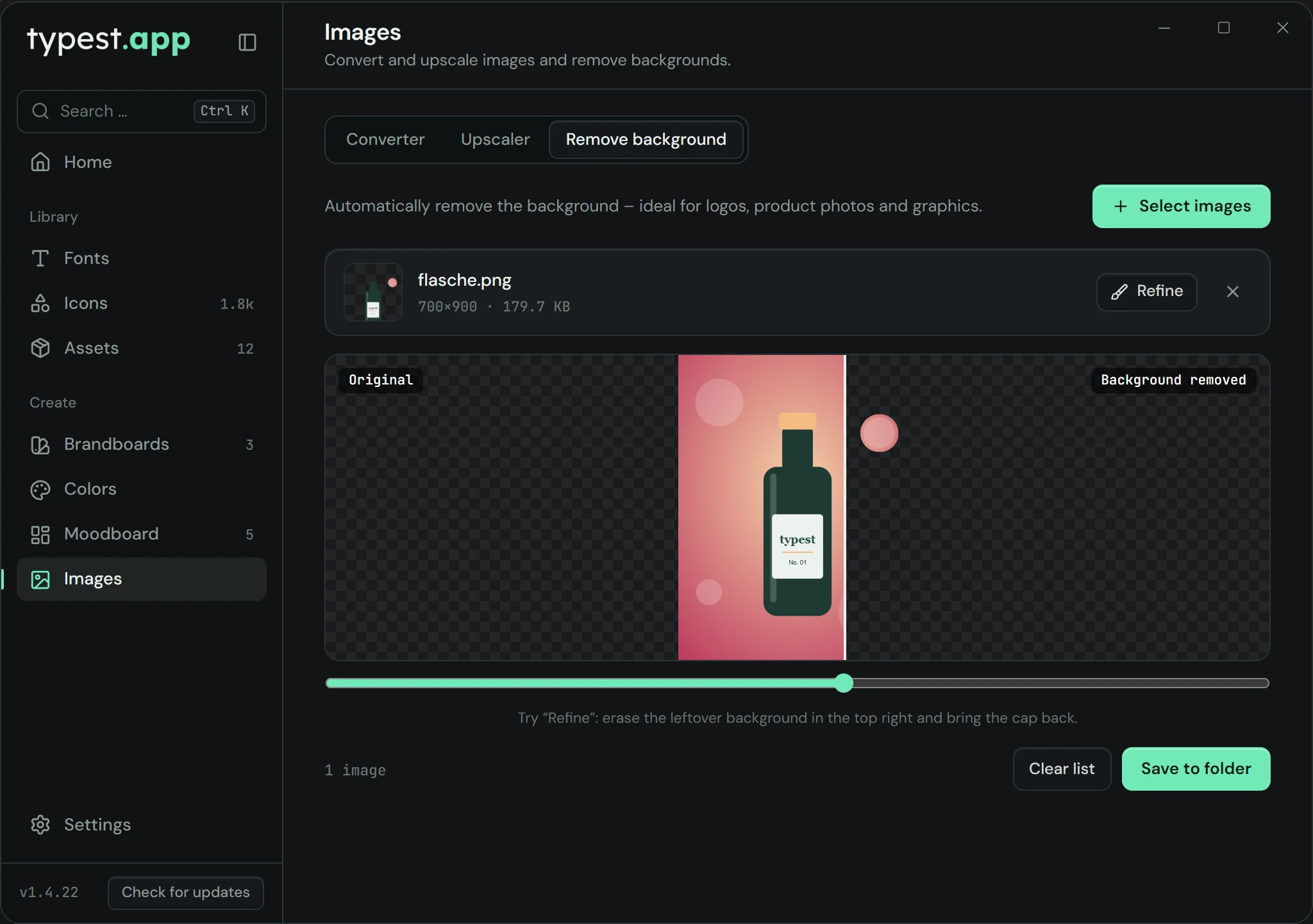
Image tools in typest.app: converter, upscaler and background remover, here with a cut-out product photo

How it works

  1. 1

    Pick the tool

    Open "Images" and choose "Upscaler" or "Converter".

  2. 2

    Select images

    Click "Select images" and choose one or more files.

  3. 3

    Set factor or format

    In the upscaler, pick 2×, 3× or 4× and compare before and after with the slider. In the converter, pick the target format.

  4. 4

    Save

    Save the results to a folder of your choice.

Frequently asked questions

How do I enlarge a logo without losing quality?

Select the image in the upscaler, set 2×, 3× or 4× and save. Lanczos scaling keeps edges sharper than simple resizing. If the logo exists as an SVG, that's always the best source; the upscaler helps when all you have is a small bitmap.

Which formats can I convert images to?

PNG, JPEG, WEBP, AVIF, TIFF and GIF are available as target formats. You can convert many images at once.

Are my images uploaded?

No. The upscaler and the converter work entirely on your computer.