
Create a brandboard: a brand's logo, colors and fonts in one place

A brandboard brings a brand's look together: logo, color system and typography. In typest.app you create one in five steps. The app detects the main colors from the logo automatically, and you export the finished board as an HTML file for clients or your team.
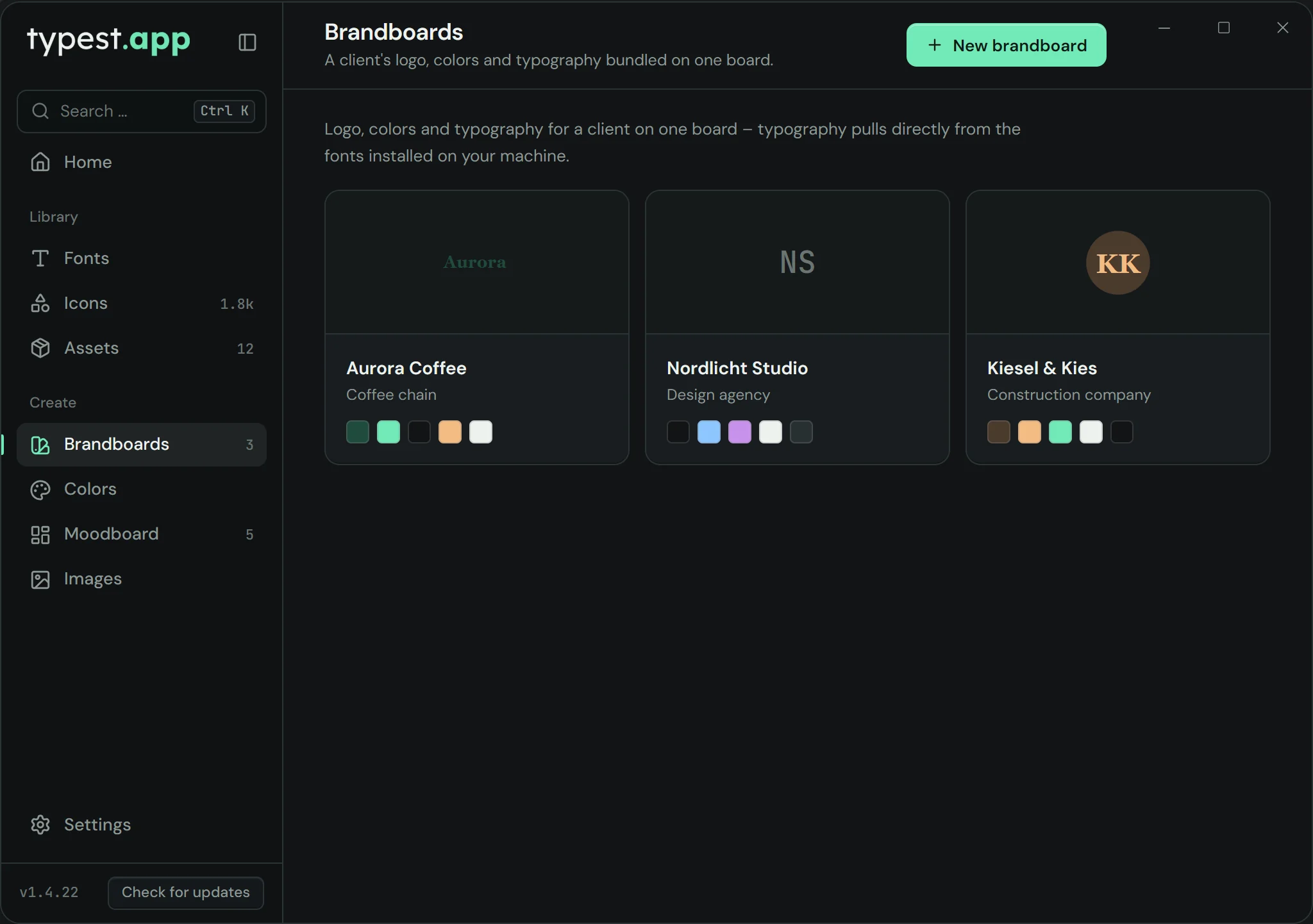
Brandboards in typest.app: several brands with logo and color system

How it works

  1. 1

    Basics

    Enter the brand name, optionally the client and one sentence about the brand.

  2. 2

    Logo

    Upload the logo as PNG, JPG, SVG or WebP. typest.app detects up to five dominant colors from it, locally on your computer.

  3. 3

    Color system

    Name the detected colors, add more and create gradients.

  4. 4

    Typography

    Pick fonts for headlines and body text from your installed fonts.

  5. 5

    Overview and export

    Check the board and export it with "Export as HTML".

Frequently asked questions

What is a brandboard?

A brandboard brings a brand's logo, colors and typography together in one place. It shows at a glance what a brand looks like and how its elements are used.

Can I take the colors from a logo automatically?

Yes. When you upload the logo, typest.app detects up to five dominant colors. The analysis runs locally; the logo isn't uploaded. You can then rename, change or add colors.

What format do I share a brandboard in?

As an HTML file. It opens in any browser and works without an internet connection.