
How to install Google Fonts on Windows and macOS

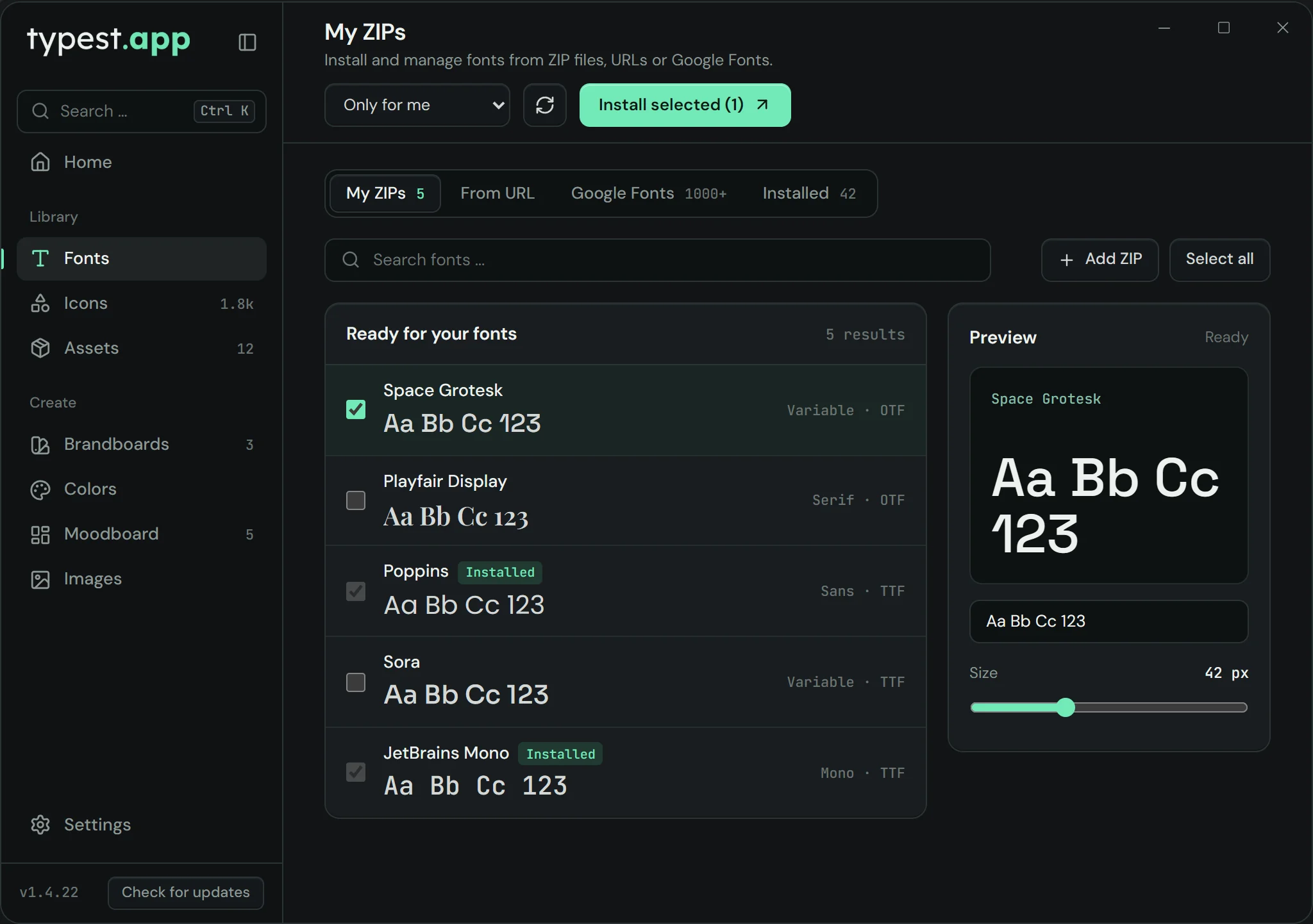
Google Fonts is a collection of over 1,000 free font families. To use one in Photoshop, Word or another desktop app, download it from fonts.google.com as a ZIP, extract it and install the font files. With the typest.app font manager there's no detour: you browse the catalog right in the app and install in one click.
How it works

  1. 1

    Pick a font

    Open fonts.google.com and search for the font you want. You can type your own text into the preview.

  2. 2

    Download

    On the font's page, click "Get font" and then "Download all". You get a ZIP archive.

  3. 3

    Extract

    Extract the ZIP. It often holds a variable font file plus a "static" folder with the individual styles, such as Regular, Bold and Italic.

  4. 4

    Install

    On Windows, select the files, right-click them and choose "Install". On a Mac, double-click them and click "Install" in Font Book.

Variable or static fonts?

Many Google Fonts come as a variable font: a single file holds every weight, from Thin to Black. Current versions of Photoshop, Illustrator and InDesign handle them. Other apps sometimes show only one style; in that case install the files from the "static" folder instead.

Don't install both at the same time. Otherwise the font appears twice in the list and apps may use the wrong file.

Can I use Google Fonts commercially?

Yes. Every font on Google Fonts is open source, most of them under the SIL Open Font License. You can use them for free in personal and commercial work, including logos, print and client projects. The only thing you can't do is sell the font files on their own.

Using Google Fonts in Photoshop, Word and more

Once a Google Font is installed, it behaves like any other font: it shows up in Photoshop, Illustrator, Word, PowerPoint and every other app. If the app was already open while you installed, restart it so it finds the font.

Google Fonts without the detour in typest.app

In the typest.app font manager, switch to "Google Fonts", search for the font, check it in the live preview with your own text and click "Install selected". The app does the downloading and extracting. On Windows you also choose whether the font is installed only for you or for all users.

The catalog only loads once you agree in the font manager. Google Fonts aren't bundled with the installer.

typest.app font manager with the sources My ZIPs, From URL, Google Fonts and Installed

Frequently asked questions

Are Google Fonts free?

Yes. Every font on Google Fonts is free and open source, commercial projects included.

Why do I only see one style after installing?

You probably installed the variable font, and your app doesn't support variable fonts. Uninstall it and install the files from the "static" folder instead.

Do I need a Google account?

No. Downloading from fonts.google.com works without signing in, and typest.app doesn't need an account either.

Do Google Fonts work offline?

Yes. Once installed, the fonts live on your computer and work without an internet connection.