
Remove an image background without uploading it

The typest.app background remover cuts out logos, product photos and graphics automatically. The AI model runs on your own computer, so your images never go to an online service. You save the cut-out image like any other result.
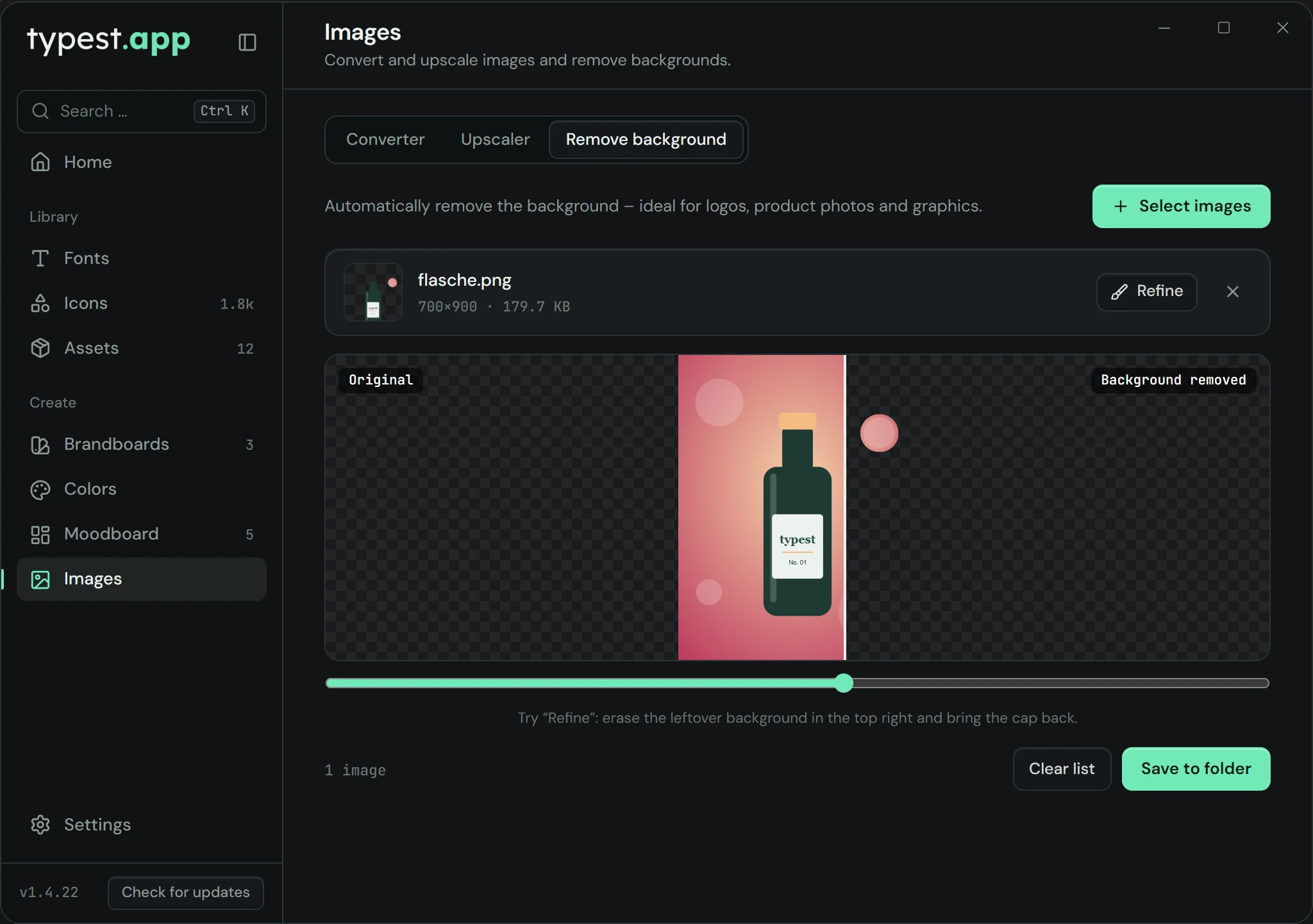
Image tools in typest.app with the "Remove background" tab

How it works

  1. 1

    Open the tool

    Open "Images" and choose "Remove background".

  2. 2

    Select images

    Click "Select images" and choose one or more images.

  3. 3

    Cut out, refine, save

    typest.app removes the background automatically. If a spot isn’t right, fix it under “Refine” with the brush (erase or restore) or the edge brush. Then save the cut-out image.

  4. 4

    Or right on the moodboard

    On the moodboard, right-click an image and choose "Remove background"; Ctrl+Z undoes it.

Frequently asked questions

Is my image uploaded?

No. The model runs on your computer; the image never leaves your device.

Which images does it work best on?

Best for subjects with a clear outline: logos, products and graphics. Very fine details like hair may need touching up – that’s what “Refine” with its brush and edge brush is for.

Does it cost anything?

No. Like every tool in typest.app, the background remover is free, with no credits and no subscription.